
eXtensions - Thursday 22 January 2025
By Graham K. Rogers
After surgery last week, I am playing catchup. Before admission, I saw the Creator Pro announcement and read several comments, including negative feedback on subscriptions. The release also generated comments on the much-missed Aperture. My mobility is limited, but I fixed one issue with the Crossover Strap for my iPhone 17 Pro. Northern Ireland Police have problems with their computer systems: similar to my experiences with an earlier C+C system almost 50 years ago. Some solutions may not work with street realities.
Just as I was going offline for a few days, I saw reports that Apple Pixelmator Pro was to be released for the iPad. Ryan Christoffel (9to5Mac). This was later surpassed by the revelation that this, and other updates, were all part of an Apple Creator Studio. Several commentators wrote about these releases, Jeremy Gray (Petapixel) for example, opening with, "In a shock move. . ."
I have been using Pixelmator on the iPad and Pixelmator Pro on the Mac for a while, so this, along with the inclusion of other Pro apps, seems a natural evolution now that Apple is in control of the company. It has a range of tools that rival Affinity Photo, now owned by Canva, both of which are options for those unwilling to go with Adobe Photoshop. This will be available either by subscription, or a one-time putchase of $49.99, although subscribers will have more features: a Warp tool is mentioned in the article.
Later I saw that this was part of a new Apple Creator Suite. An Apple press release gives some information on this. The release date for the Apple Creator Suite is 28 January. That is also leading to some speculation that this could also be the release date for new M5 iMac and MacBook Pro models Roman Loyola (MacWorld). That sounds feasible. It might also signal the release of OS updates to cover specific features in the software and hardware releases.
It later became clear that iWork is also to follow a similar path. While the basic apps (Keynote, Numbers, Pages) will remain free, those who want premium content (currently undefined) will have to take out a subscription. This seems like Apple is going back to its origins when much of the software from Apple, including the OS, had to be bought. I paid for 3 separate versions of Aperture (and look where that got me) and a couple of different versions of iWork. Between then and now we have enjoyed most of the software for free (except Final Cut and a couple of other Pro applications)
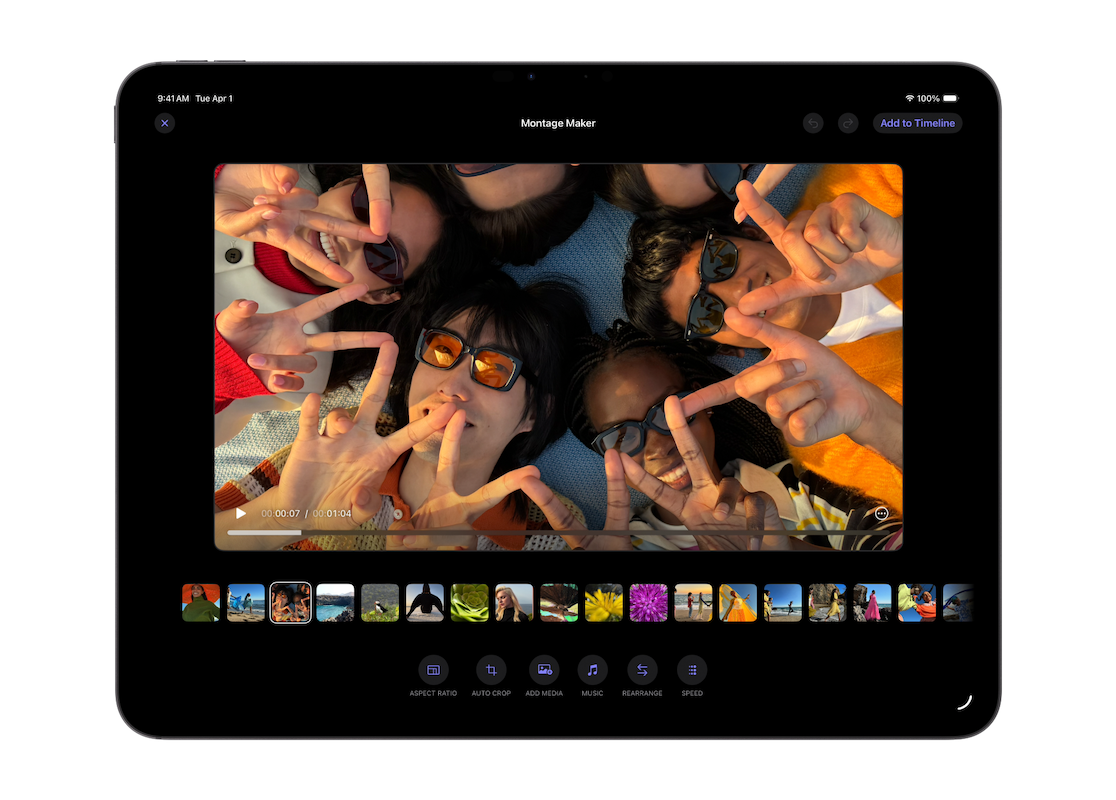
Like me, Amber Neely (AppleInsider) is not a fan of this move to subscription-based software. Although Adobe has been subscription-only for several years with most of its apps, this is not popular and reports in the last few months have indicated that many users are moving away from the company, or looking for alternatives. That Apple is now taking a similar approach is not something I like at all, although this could well attract some current Adobe users. Like the recent release of Affinity on the Mac, the iWork apps will remain free, but it is not clear if there are options for either a one-time purchase or subscription, or of these apps are part of the Creator Suite subscription.
Ben Lovejoy (9to5Mac) has more information on the pricing and calls them "freemium" apps. The enhancements (see below) "will require a paid subscription". There is no mention of a one-time payment for iWork, but it now appears that this is the subscription to the Creative Suite, which at $12.99 a month (or $129 a year) does have a lot of powerful apps, for those who might use them.
With the subscription, like Pixelmator Pro, the user will have access to more features. Mind you, Neely writes that these features, when it comes to iWork, are mainly super-duper AI enhancements and new templates, neither of which moves me one iota. I use a basic spreadsheet in Numbers, a blank template in Pages, and black slides with white text for my presentations in Keynote: the skill is in the content and the delivery, not AI knick-knacks. To quote Neely again, ". . . if it leaves a bad taste in your mouth, like it does ours, that's a good instinct to have." William Gallagher also discusses the new suite and its pricing. However, I was interested to see his use of the word, "controversially" when it came to the inclusion of iWork apps.
As a footnote to these announcements, Ryan Christoffel (9to5Mac) reports that Apple will no longer update Pixelmator on the iPad, which is not really a surprise as there may be some duplication. However, quoting Apple, he adds that Photomator Pro (an app that I use daily) and is superior to Photos in many ways, ". . . remains available as a separate purchase from the App Store." I still have a vague hope that Apple will develop this into an overdue Aperture replacement (See below). Joe Rossignol (MacRumors), quoting Apple, adds that "Pixelmator will remain a functional app." Just no updates.
There is useful information on the release from Aisha Malik (TechCrunch) who also mentions student pricing, and from Kris Holt (Engadget) who opens with how this suite fits with the ever-profitable Apple Services. He adds that Apple is to introduce something called the Content Hub, a media library that includes "curated, high-quality photos, graphics and illustrations." It is not clear currently if this is only for those who subscribe.
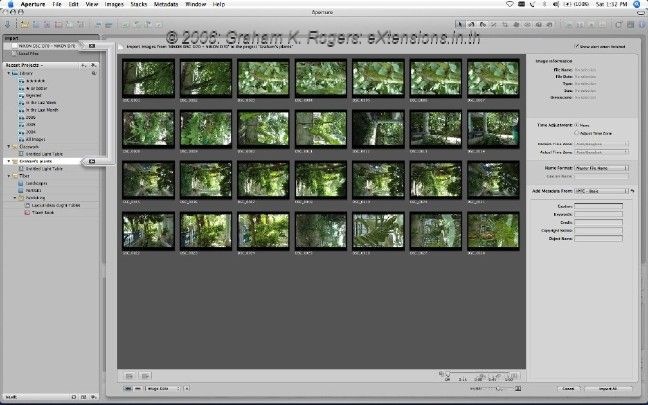
In the context of the new suite, I mention Aperture (above) and have done several times before in the past. Like many, I still miss this app. It was central to my photos workflow. Also missing this is Nick Heer (Pixel Envy), who briefly explains his feelings about Aperture - ten years down the line, remember - including, "The 2015 discontinuation of Aperture continues to break my heart for two reasons: the loss of support for a tremendous piece of software, of course, and also for what it represents." His article also links to a piece by Daniel Kennet, which is subtitled, "The App We'll Never Get Over Losing",
that goes a long way to explaining why people who used Aperture still miss it and the wide range of features that were instantly accessible when using the app. Some decisions from Apple, like the Airport WiFi are beyond me.
|
|
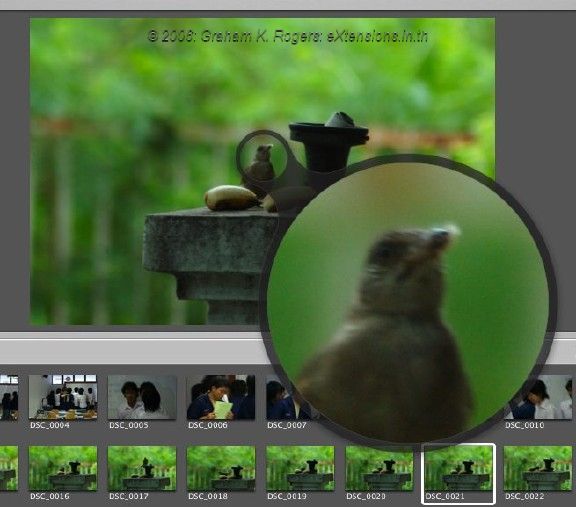
While I have a couple of images from my early reviews of Aperture, Daniel has a trashcan Mac Pro that can still run Aperture and he used that to show some of the features that make it such a loss: moving to Lightroom just does not suffice. I now have several apps to fill in the gaps, but nothing I have seen replaces the Light Table, or the easy way to make books. Things were a little different in Bangkok when I reviewed Aperture in 2006, and instead of the direct order, users in Thailand had to prepare a PDF and deliver that to an outlet. Apple sources here gave me some useful information on this and I was able to set this all up on a 17" MacBook Pro that I was reviewing. The book was printed on high quality paper. I was pleased with the ease of setting this up and the outcome.

As well as explaining the book feature, Daniel looks at the integration of the map with the HUD - accessing features and tools directly from the initial interface (the map) so that the whole workflow can be integrated easily. Like me, Daniel regrets the loss of Aperture. He links to comments on Aperture from other writers. There are some features in Photomator that remind me of this, but as much as I like this app (and use it almost daily) it has a long way to go to reach what Aperture could do. And Photos has never been a contender.

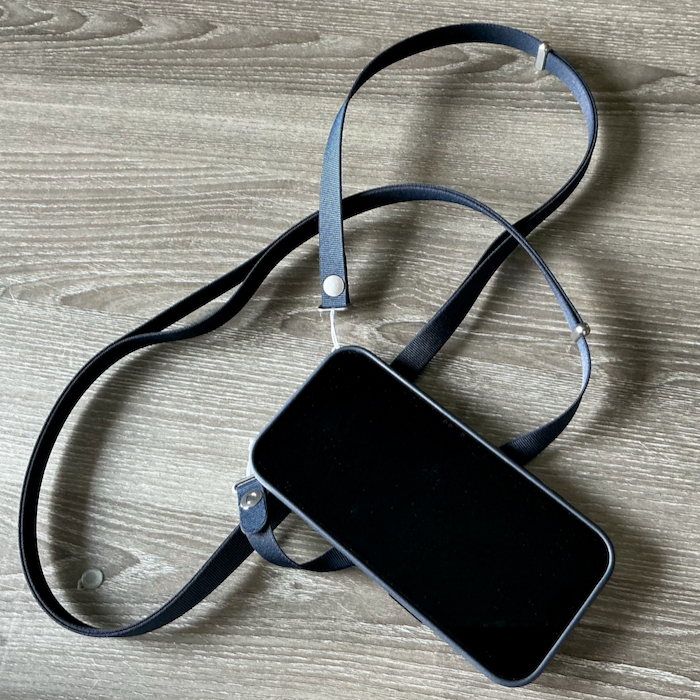
After five days in a hospital room after surgery, I was pleased to return home, although there were certain mobility problems. With the surgery I had I am currently moving around using a granny frame. That means most of my weight is supported by my arms and one leg currently. It is not easy to carry certain objects. The iPad is OK. I slip that under my arm and carefully move to my destination. A cup of tea is less easy. There is constant risk of spillage. I eat and drink most things in the kitchen where I make them. Another problem is the iPhone. Carrying that in its case has proved somewhat difficult. Either hand is problematic as that reduces grip on the frame and adds risk to moving about.
|
|
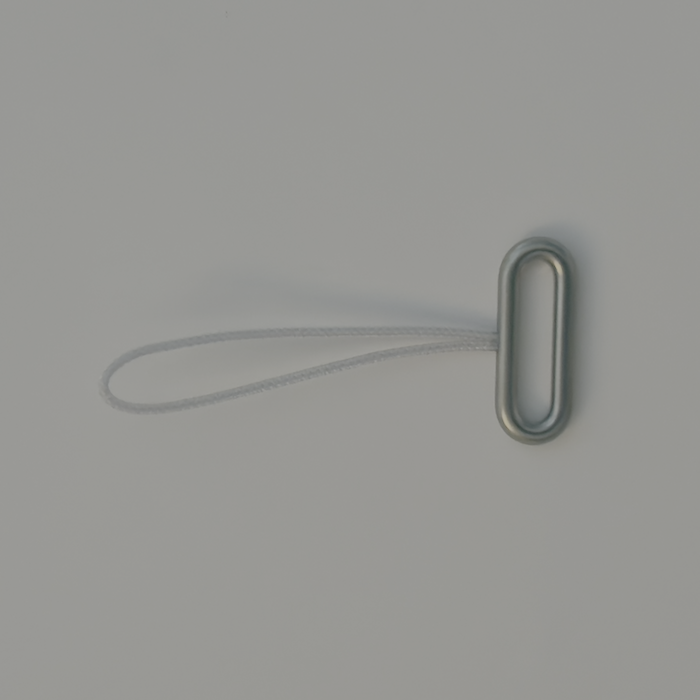
I had the perfect solution already. I had bought the cross body strap for the iPhone Pro when I initially collected the iPhone Pro but had never used it. I have not seen many of these in Thailand. They seem a little flashy although if I were to be taking photographs, they could provide some security in case I dropped the device. That was my initial motivation for buying the strap. This of course is the perfect accessory for someone in my condition who is unable to use the hands fully especially when moving around. The day after I returned, I spent some time on my bed, connecting the accessory to the case.
|
|
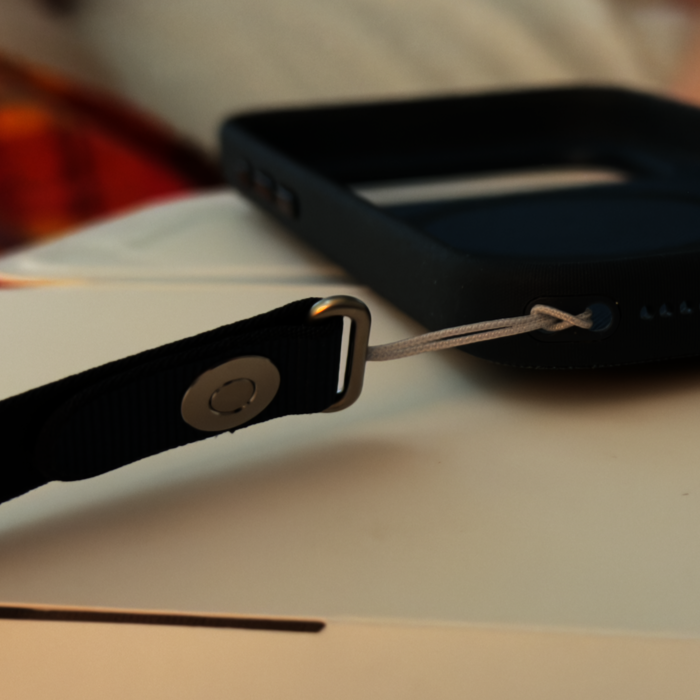
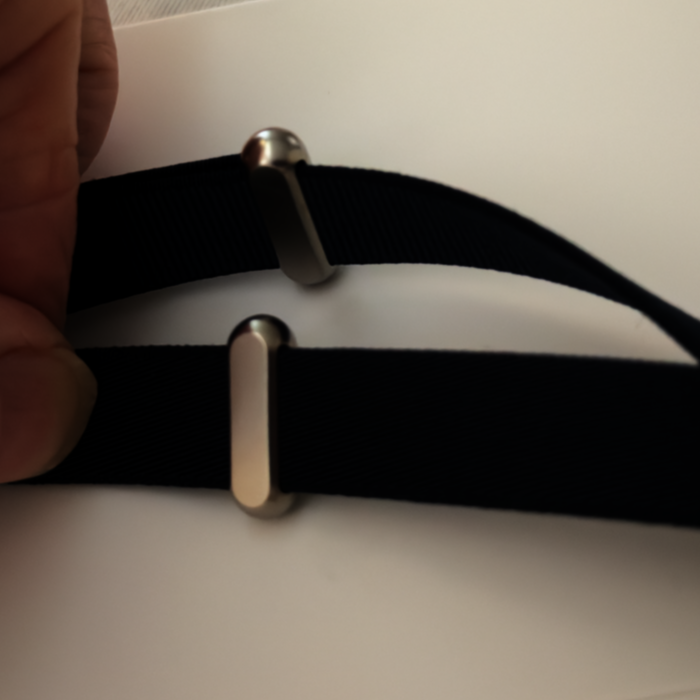
After removing the iPhone from the case, I looked carefully at the base. Using the diagrams supplied, I saw that each connector cable has to be inserted into the outer hole, then pushed through the inner hole before being looped through the connector, making the link secure. As I had seen in other reports, this is a little fiddly, especially on the return path, where working room is a little restricted. The loop can be compressed slightly with the fingers and the spacing is as well thought-out, as one would expect. Once I had done the first loop, the other one was a little bit easier, and I managed that quite quickly. It is easy to attach the strap to the metal loops and the straps can be adjusted using a normal sliding procedure with some nicely designed links. I can now carry my phone safely around the house.
A report in Computer Weekly by Bill Goodwin and Cormac Kehoe on the Northern Ireland Police computer, brought back some memories of my time in Bedfordshire Police. The PSNI command and control system, has not been working 100% for a while which led them "to resort to manual forms to record calls from the public" not long after it went operational. This also happened when the police force I was working for introduced a similar system, albeit some 48 years ago.
 As with all of these computer system ideas, the theory was great, although for several reasons in practice it did not work so well. If nothing was happening, it ticked along well, with the occasional hiccup, but if there was a major incident, the number of calls overwhelmed the operators.
Instead of recording basic information about the incident on paper, then grabbing a microphone to call up a unit, they were supposed to type in the information, with all its different database fields, then send help. They would also need a result so that the incident could be closed or sent for further attention. That caused some tense exchanges as the officers might already have their hands full with another incident.
Imagine then, as well as the normal Friday night problems, some large towns were in the throes of riot conditions, as happened in 1981 in several British towns (not the Poll Tax riots which were later). The control room staff were still entering information into the small hours.
A few days later, I was on the M1 Motorway, near Junction 13, helping with an accident: even one car stopped causes a major problem, with the risk of further incidents, so when possible we tried to clear the road as soon as possible. I was standing at the scene, in the middle of the damaged vehicles with scores of buses full of policemen heading north (probably to Leicester) when I saw a motorcade on the southbound carriageway. As it drew close, I saw it was the Prime Minister, Thatcher. As per standing orders, I threw her a salute, and she returned that huge smile she used. One of the drivers in the accident said to me, "What the f*** is happening?" He had been in Spain for two weeks and had missed all the news.
The Computer Weekly report also mentions that staff used paper to write down information as it came in. The system replaced an earlier installation and appears to have had problems from the start. The authors also mention serious IT issues in Manchester which used similar software. Again, they had to resort to pen and paper. The theories of computer experts do not always match the needs of those working on the ground.
Graham K. Rogers teaches at the Faculty of Engineering, Mahidol University in Thailand. He wrote in the Bangkok Post, Database supplement on IT subjects. For the last seven years of Database he wrote a column on Apple and Macs. After 3 years writing a column in the Life supplement, he is now no longer associated with the Bangkok Post. He can be followed on X (@extensions_th). The RSS feed for the articles is http://www.extensions.in.th/ext_link.xml - copy and paste into your feed reader. No AI was used in writing this item.

For further information, e-mail to
Back to
eXtensions
Back to
Home Page